 Bindlore
Chrome extension · Core conversion in your browser
Your books. Your AI skills. Built in your browser.
Bindlore turns DRM-free books you have the right to use (PDF, EPUB, Word, PowerPoint, text, even photos of paper pages) into ready-made skills your AI agents can use: Claude, Codex, or any agent that reads Markdown. Core conversion (parsing, OCR, and skill-building) runs in your browser, and your file isn't uploaded to Bindlore.

The whole point
Other tools ship your pages to a cloud to “process.”
Bindlore doesn’t have that cloud. Your books stay in your browser during core conversion, and Bindlore has no server copy. If you turn on optional AI extras, text goes only to your own AI provider.
Three steps
Drop a book. Get something an AI can actually use.
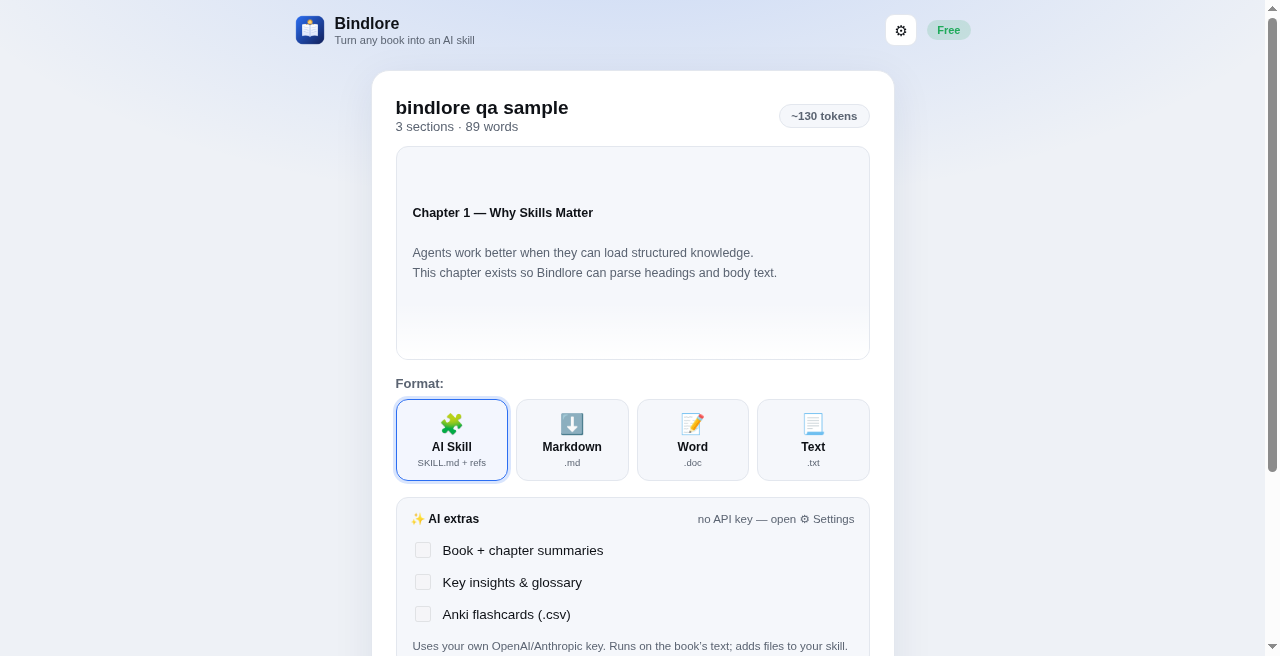
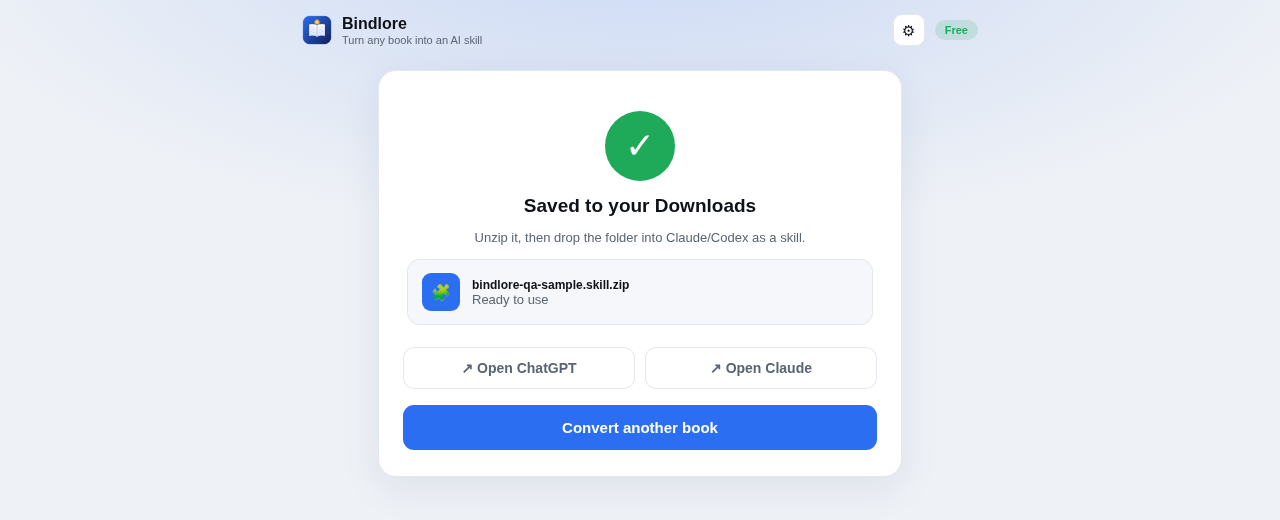
Not a raw text dump: a finished skill with SKILL.md and chapter references, ready for Claude or Codex.
Drop
A DRM-free file or photos of paper pages, as long as you have the right to use them. Batch several at once.
Preview
Title, author, sections, token count. Read it before you export.
Export
AI Skill (SKILL.md + chapter refs), or Markdown, Word, Text.
See it
Book in. Skill out. Core conversion runs in your browser.
18-second product demo. Sound on for the voiceover.
What’s inside
Built to make skills, not scrape text.
OCR in your browser
Photograph paper pages you have the right to use. Text is recognized in your browser, and page images aren't uploaded to Bindlore.
Built for agents, not just chat
A proper SKILL.md folder your agents load as-is: Claude Code, Cowork, Claude Projects, Codex, or your own custom agent. They read the whole book and cite chapters.
Batch a shelf
Drop several files. Get one tidy skill bundle. Stop converting one book at a time.
Every format you already have
PDF, EPUB, Word, PowerPoint, TXT, plus scans. Export as Skill, Markdown, Word, or Text.
Optional AI extras
Summaries, insights, Anki, using your OpenAI or Anthropic key. Browser → provider. Not through us.
DRM refused on purpose
Converter, not a cracker. Built for DRM-free books you have the right to use and public-domain titles.
The difference
Same goal. Opposite philosophy.
Typical “Kindle to text” tools
- ✕ Screenshots go to their cloud
- ✕ Raw, messy text you clean yourself
- ✕ Legally shaky DRM games
- ✕ Your library passes through someone else’s server
Bindlore
- ✓ Core conversion runs in your browser. Your file isn't uploaded to Bindlore.
- ✓ A finished, structured AI skill
- ✓ Works on files you have the right to use. Refuses DRM by design.
- ✓ Book content isn't sent to a Bindlore server
Price
Free. Really.
Every format, OCR in your browser, batch conversion, all of it. Bindlore is free.
- Unlimited book conversions
- AI Skill, Markdown, Word, and Text exports
- OCR in your browser for scans and photos
- Batch a whole shelf at once
- AI summaries and flashcards with your own key
Questions
The honest answers.
What is Bindlore?
Bindlore is a free Chrome extension that turns books you have the right to use into AI skills (SKILL.md) for Claude, Codex, and other agents that read Markdown. Core conversion runs in your browser.
Does Bindlore upload my books?
No. On the core convert path, parsing and skill-building run in your browser. Your file isn't uploaded to Bindlore.
Does Bindlore require an account?
No account is required for the core convert path.
Is Bindlore free?
Yes. Bindlore is free.
What file types does Bindlore support?
Supported inputs include PDF, EPUB, Word, PowerPoint, TXT, and photos or scans (OCR in your browser). Export options include AI Skill (SKILL.md + references), Markdown, Word, or Text.
Does Bindlore work with Kindle DRM / DRM-locked files?
No. DRM-locked files are refused on purpose. Bindlore is a converter for content you have the right to use, not a DRM workaround or cracker.
Where does optional AI (summaries, glossary, Anki) run?
Optional AI extras use your own OpenAI or Anthropic API key. Requests go from your browser to the provider, not through a Bindlore book-content cloud.
Where can I install Bindlore?
Install from the Chrome Web Store. More info at bindlore.app.
What is a Bindlore “AI skill”?
An export package with a SKILL.md file plus chapter and section reference files, structured so Claude, Codex, and similar agents can search, quote, and reason over a book you provided.
Your books. Your agents.
Turn books you have the right to use into skills Claude and Codex can cite.
Get updates
Hear when Bindlore ships something new.
No account. Submitting opens your email app with the subject “Bindlore updates.”